
Skill Capped UI – Best PvP Addons & UI Setup Guide for TBC Classic
Set up the perfect PvP interface for TBC Classic with Skill Capped UI. Complete guide covering nameplates, arena frames, cooldown tracking, WeakAuras, and all essential addons.
The #1 PvP Addon Package
One-click install for pro-level UI
- ✓Complete addon suite: arena frames, WeakAuras, nameplates, and more
- ✓Premium profiles: custom filters for OmniBar, OmniCD, and BBP!
- ✓Setup in seconds: look like a pro instantly
✦ Exclusive discount applied at checkout • Money-back guarantee
This guide will walk you step by step on how to PERFECTLY set up your UI for TBC Classic PvP. Whether you want to save hours of time with our one-click installer or configure everything manually, we have you covered.
Introduction
So, what is the Skill-Capped UI addon and the benefit of installing it? Skill Capped has created a custom pre-built UI, allowing an easier visualization to what is occurring in any PvP scenario. Our addon will automatically configure the profiles of other popular PvP addons, removing the hassle of setting up your UI on multiple characters.
These customized addons will optimize your performance in PvP. If you don't prefer a certain addon included in our package, you have the option when opening your World of Warcraft client to remove any addons you choose.
In order to understand what makes this so essential to use for all PvPers, we will go over a brief overview of the addons that are equipped with our UI package.
Installation
Getting set up with Skill Capped UI is quick and easy. Follow these steps:
- Go to the Addons page on our Classic website
- Follow the instructions to download and install our addon pack, or get each addon individually on CurseForge
- Skill-Capped UI download link on CurseForge: Skill Capped UI
- Enter your Battle.net tag to generate your premium code
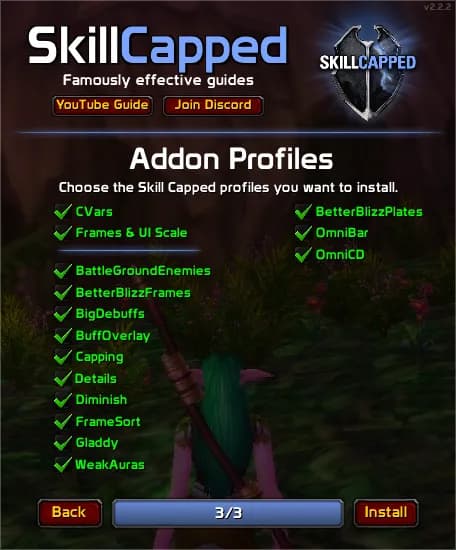
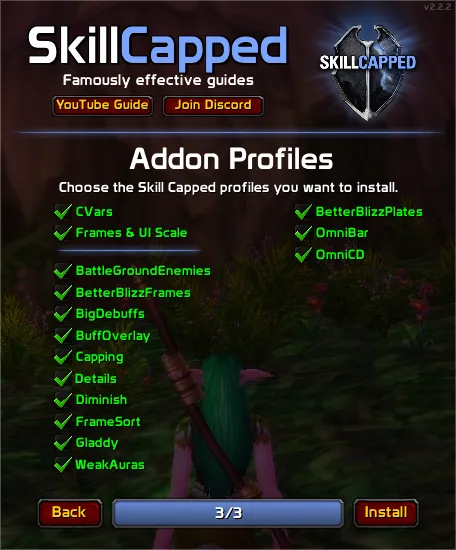
- Select which profiles you want to install and click Install
You can also follow the video guide on our site to help get yourself setup and join our Discord server to access our addon support channel where our team is available to help troubleshoot any issues you may be having.
Nameplates & Unit Frames
Nameplates are a REALLY big deal in PvP. They're like a cheatcode to increase awareness and damage at the same time. Unfortunately, there is no "edit mode" in TBC Classic, so you'll need addons to get that retail feel.
The default nameplates absolutely SUCK in Classic. Not to worry though because BetterBlizzPlates will fix EVERYTHING.
Download: BetterBlizzPlates on CurseForge
Once you're in game, type /bbp to bring up the options menu.
Nameplate Auras (Important!)
This next step is really important. In the NamePlate Auras tab, we're going to Whitelist our most important debuffs.
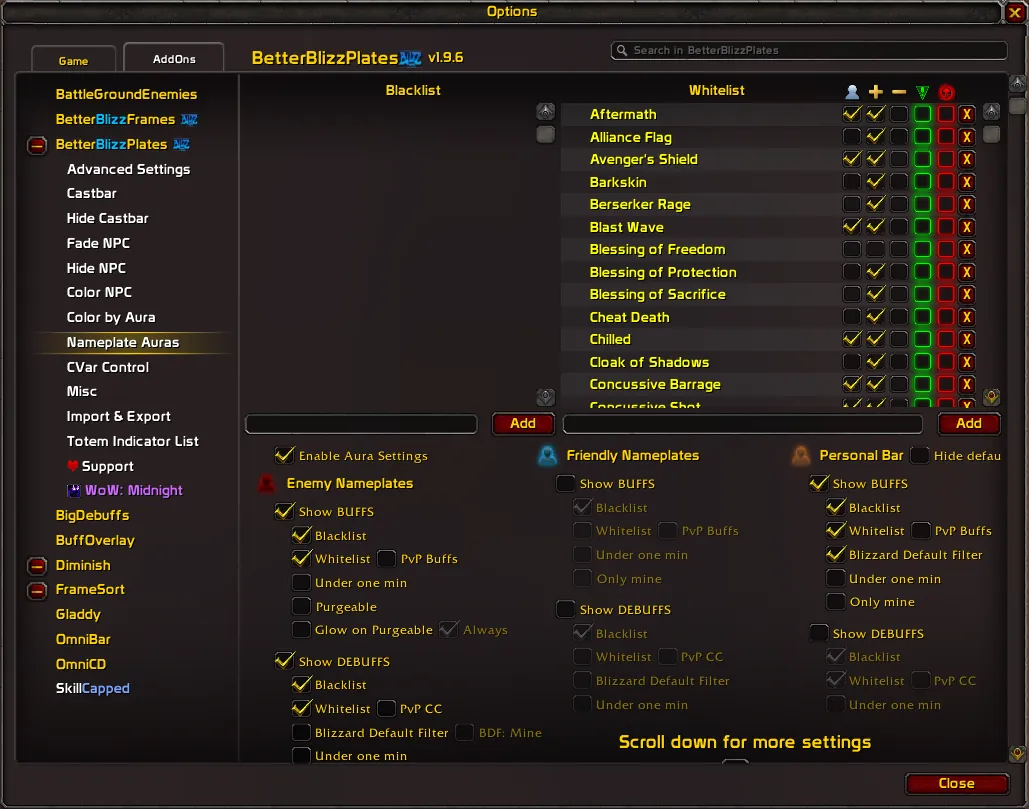
To fix this:
- Go to the White List tab
- Add the Spell ID of your important abilities
- Check the first two boxes to only track your OWN debuffs
- This makes them bigger and easier to see
Filtering your debuffs is enormously beneficial for most specs and it WILL increase your damage if done right.
If you want to play with the UI you are already used to on retail, you're going to need BetterBlizzFrames. This is one of those addons you wish you knew about sooner.
Download: BetterBlizzFrames on CurseForge
Right out of the box, it might seem like nothing has changed, but let's type /bbf to pull up the window and adjust some important settings.
Essential Settings
Hide Arena Frames: This will hide Blizzard's default arena frames when you are using an addon like Gladdy. Enable this if you're using a separate arena frames addon.
LossOfControl (VERY Important): Make sure this is enabled. The "LoseControl" feature that is baked into retail is not part of the base UI in Classic, and this single feature is MASSIVELY beneficial for your awareness.
Optional Aesthetic Tweaks
- Class Colors on frames: Mimics the retail experience
- Bigger healthbars: Also mimics retail if you're into that
- Class icons instead of portraits: If you prefer that style
Arena Frames
We're going to need some arena frames, and Gladdy is the go-to for TBC Classic.
Gladdy is the standard for arena frames in TBC Classic. It's a powerful arena addon packed with modules that can be enabled, disabled, and fully configured.
Download: Gladdy on CurseForge
Type /gladdy ui in game to bring up the options menu, or /gladdy test to see the frames in a test mode.
Key Modules
- Diminishing Returns: Tracks DRs directly on the frames
- Cooldown Tracking: Tracks important enemy cooldowns
- Cast Bar: Shows enemy cast bars for timing interrupts
- Trinket: Tracks trinket usage
- Auras: Shows important buffs and debuffs on the class icon
- Combat Indicator: Shows a sword icon if a unit is in combat
- Totem Plates: Shows totem icons instead of normal nameplates
Useful Commands
| Command | What It Does |
|---|---|
/gladdy ui | Opens the configuration panel |
/gladdy test | Standard 3v3 test mode |
/gladdy test2 | Test mode with 2 frames |
/gladdy hide | Hides the frames |
/gladdy reset | Resets current profile to defaults |
Buff & Debuff Tracking
Now we have our unit frames set up, let's optimize them for PvP with proper buff and debuff visibility.
Even if you are the person who HATES addons, there's absolutely nothing to hate about BigDebuffs.
Download: BigDebuffs on CurseForge
This is one of those addons that makes life MUCH easier by increasing the visibility of key buffs and debuffs on different parts of your UI, including:
- Your target and focus frames
- Your raid frames (INCREDIBLY helpful as a healer for quickly dispelling CC)
- Even as a DPS to see CC on your partners, especially your healer
Configuration
Out of the box you will need to change some settings:
Increase Maximum Buffs: If you play a HoT-based healer, you definitely shouldn't play without this simple setting enabled.
Priority Settings: You can adjust the priority of buffs. We suggest making sure CC has the highest priority.
BuffOverlay is so lightweight and useful that there really isn't any reason to play without it.
Download: Buff Overlay on CurseForge
All this addon does is add a simple buff overlay of any major defensive cooldown directly onto the raid-frame.
Since it ONLY tracks defensives, you really don't have to do much configuring and should be safe playing with default settings, but feel free to disable anything if needed.
We don't suggest playing without this, especially as a healer. Since you are already looking at raid frames anyway, this will make it much easier to spot when your DPS uses their major defensives.
Cooldown Tracking
Tracking cooldowns is essential for high-level play. These addons let you see both your party's cooldowns and enemy cooldowns.
If you are an advanced player, we HIGHLY suggest playing with OmniCD.
Download: OmniCD on CurseForge
This addon will allow you to track your party's cooldowns, which is REALLY useful no matter what, especially if you are playing without voice.
- As a DPS: You will be able to see when your teammate has CC ready, allowing you to line up your burst and assist with cross CC too
- As a healer: Knowing what defensives your teammates have available will allow you to make much smarter decisions with your own CDs, especially your PvP trinket
Positioning
We suggest anchoring OmniCD to the left side of frames to keep more space open in the center of your screen, while preventing it from overlapping with your Focus Frame.
OmniCD adds a LOT of additional information to track, especially with everything else going on in your screen. This is why we're considering OmniCD optional, better suited for more advanced players.
This is another S tier addon in PvP, allowing you to do the impossible by tracking enemy cooldowns.
Download: OmniBar on CurseForge
This means being able to:
- Juke interrupts
- Play around upcoming defensives
- Predict upcoming CC chains
If you are serious about arena, you NEED OmniBar.
The Big Mistake
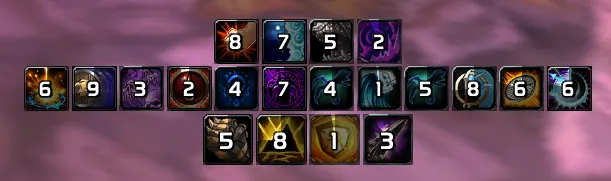
Many players make a HUGE mistake with this addon, thinking it's immediately good to go once installed. Not only is there a TON of trash you don't NEED to be tracking, but every cooldown will be clumped together in a giant mess that is IMPOSSIBLE to quickly read at a glance.
Let's fix this.
Step 1: Create Separate Bars
Create different bars to track different types of cooldowns:
| Bar | Purpose | Suggested Location |
|---|---|---|
| Interrupts | Track enemy kicks | Near your cast bar |
| Crowd Control | Track incoming CC | Near your cast bar |
| Major Defensives | Track enemy defensives | Middle area |
| Spell Disruption | Grounding Totem, Spell Reflect | Optional, can merge with interrupts |
Step 2: Filter Out the Junk
If you want to keep your UI as clean as possible, you don't need to be tracking smaller cooldowns. Go through each class and disable abilities that aren't important.
It might seem tedious to split up your bars like this and make all of these filters, but it will be worth it in the long run by making information much easier to digest.
WeakAuras
Our final heavy hitter is, you guessed it: WeakAuras.
Download: WeakAuras 2 on CurseForge
Now there are obviously a lot of WeakAuras and packs to choose from, but we've made things easy for you with perfectly tailored WeakAuras for PvP.
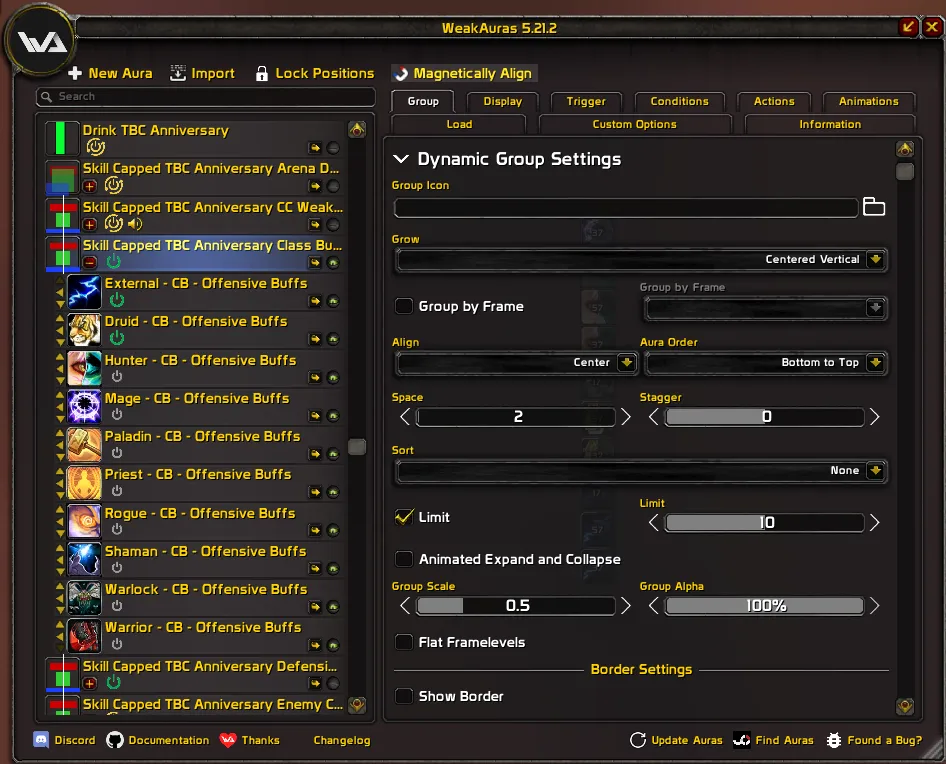
What Our WeakAuras Include
Buff and Proc Tracking: Important buffs and procs displayed for every class.
Missing Buff Reminders: If you are missing a buff or if you haven't summoned your pet, you will get a reminder in the center of your screen.
Active Defensives: This section will also display any active defensive cooldowns on your character.
Additional WeakAuras
- Enemy Cooldown Tracking: One active in arena, another designed for BGs
- Party CC WeakAura: Shows when your partners are stuck in crowd control
- Drinking Alert: Alerts you when the enemy healer is drinking
Obviously there is a lot here, so feel free to disable anything you don't plan on using.
Quality of Life
Now let's add some final quality of life improvements.
This addon will automatically put you at the bottom of your raid frames, which makes it easier to see who is Party 1 and Party 2.
Download: FrameSort on CurseForge
If you play with Party macros, this is an absolute MUST.
Summary
| Category | Addon | Purpose |
|---|---|---|
| Nameplates | BetterBlizzPlates | Class colors, indicators, debuff filtering |
| Unit Frames | BetterBlizzFrames | LossOfControl, retail-style frames |
| Arena Frames | Gladdy | DR tracking, cooldowns, cast bars |
| BG Frames | BattleGroundEnemies | Enemy tracking in battlegrounds |
| Debuff Tracking | BigDebuffs | CC visibility on frames |
| Defensive Tracking | BuffOverlay | Partner defensive cooldowns |
| Party CDs | OmniCD | Track teammate cooldowns |
| Enemy CDs | OmniBar | Track enemy cooldowns |
| Custom Tracking | WeakAuras | Buffs, procs, alerts |
| QoL | FrameSort | Consistent raid frame ordering |
| QoL | Details | Damage and healing breakdowns |
If you want to skip ALL of these steps and download the #1 UI for PvP with the click of a button, check out our premium UI package. It includes perfect profiles for every addon mentioned here, plus comprehensive WeakAuras for every class.

Master TBC Arena with Skill Capped
Premium video courses for TBC Classic
- ✓Damage guides: learn how to top the meters
- ✓Playstyle guides: learn hidden tips and tricks
- ✓Pro strategies: from R1 TBC Gladiators
✦ Exclusive discount applied at checkout • Money-back guarantee