

Welcome to Skill Capped’s Guide on the Best Macros for Arms Warriors in The War Within 11.2.5
All sections for Arms Warrior PvP have been divided into corresponding sections for the most optimal hero talents, class talents, spec talents, race, stats, gear, enchants, gems, and macros. This will help you have a good understanding of Arms Warriors in PvP for The War Within, the strengths and weaknesses associated with this specialization, and help you conquer the arena. This section will guide you on the best Arms Warrior Macros in The War Within.
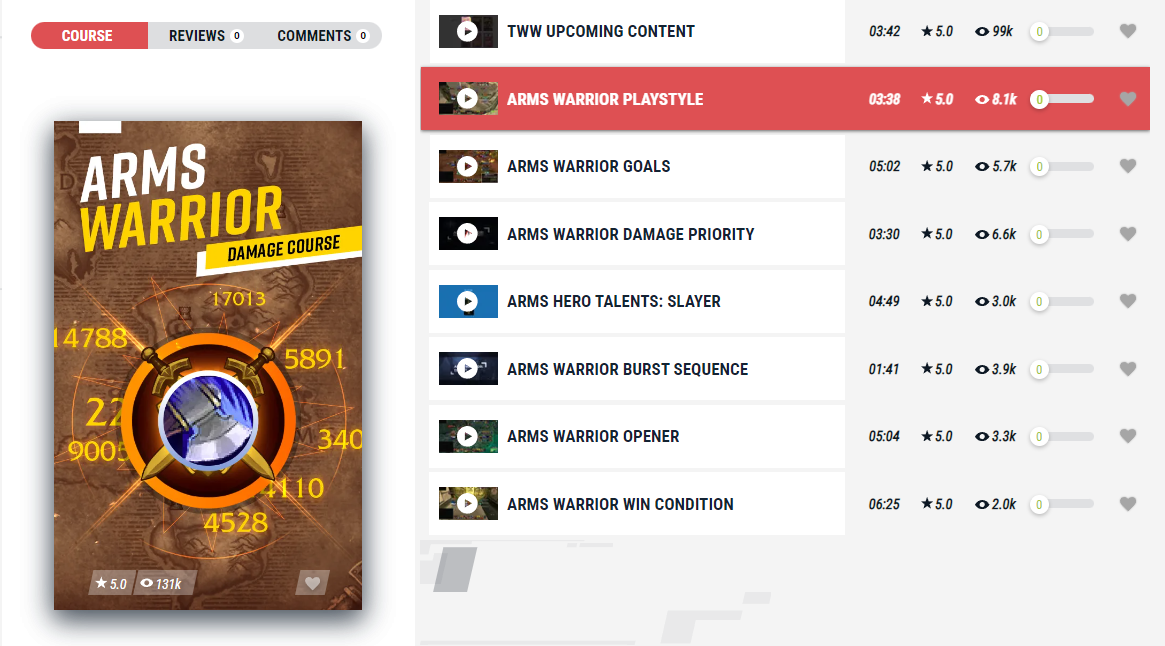
Skill Capped members gain access to specialized video tutorials from the world’s best pro players, with courses available for every class. Sign up today for a special 5% discount and start mastering WoW PvP with our engaging and informative content and take advantage of our 400 rating gain guarantee where we guarantee you’ll see improvement or get your money back.
Table of Contents
Focus and Arena Macros
These macros follow the same idea as party macros and eliminate the need to manually change targets every time. They are very useful for CC and interrupts. While focus macros are easier to get used to and could be sufficient in most cases, arena macros are a lot more versatile as they allow you to interact with literally any opponent in the game at any point. The downside of making arena macros is the number of binds you will have to allocate. Not to mention, they are a lot more difficult to get used to. You could start by using focus macros for most of your abilities as well as arena macros for some of the most important CC and expand the more you get used to it. As a Warrior, the spells that benefit the most from such macros are Pummel, Storm Bolt, Intimidating Shout, and Charge.
Also we have added back cancelaura Bladestorm in our Pummel and Storm Bolt macros. This is due to Colossus being our most viable hero tree in the current meta. However, if Slayer ever does become the default hero tree we highly advise removing /cancelaura Bladestorm from those macros specifically since we benefit from Unrelenting Onslaught.
Pummel
#showtooltip
/cancelaura Bladestorm
/cast [@focus] Pummel
#showtooltip
/cancelaura Bladestorm
/cast [@arena1] Pummel#showtooltip
/cancelaura Bladestorm
/cast [@arena2] Pummel#showtooltip
/cancelaura Bladestorm
/cast [@arena3] PummelStorm Bolt
#showtooltip
/cancelaura Bladestorm
/cast [@focus] Storm Bolt
#showtooltip
/cancelaura Bladestorm
/cast [@arena1] Storm Bolt#showtooltip
/cancelaura Bladestorm
/cast [@arena2] Storm Bolt#showtooltip
/cancelaura Bladestorm
/cast [@arena3] Storm BoltIntimidating Shout
#showtooltip
/cancelaura Bladestorm
/cast [@focus] Intimidating Shout
#showtooltip
/cancelaura Bladestorm
/cast [@arena1] Intimidating Shout#showtooltip
/cancelaura Bladestorm
/cast [@arena2] Intimidating Shout#showtooltip
/cancelaura Bladestorm
/cast [@arena3] Intimidating ShoutCharge
#showtooltip
/cancelaura Bladestorm
/cast [@focus] Charge
#showtooltip
/cancelaura Bladestorm
/cast [@arena1] Charge#showtooltip
/cancelaura Bladestorm
/cast [@arena2] Charge#showtooltip
/cancelaura Bladestorm
/cast [@arena3] ChargeParty Macros
As a Warrior, it’s imperative that you land your utility spells on the right target at the right time. In order to make it easier, you should make party1 and party2 macros or use the names of your teammates. This way, you won’t need to change a target every time you want to cast a spell on an ally. If you go with player names, make sure you change the names in the macro every time you change teammates. We highly recommend utilizing this type of macro for Intervene specifically, minimizing any downtime you may have target swapping.
#showtooltip
/cancelaura Bladestorm
/cast [@party1] Intervene
#showtooltip
/cancelaura Bladestorm
/cast [@party2] Intervene
Cursor Macros
These macros will allow you to cast any ability at the location of your cursor as long as it applies a reticle on the ground when you try and use it. One ability this is good for in particular is Champion’s Spear. With it, you will be able to use the ability much faster as you will immediately use the ability the moment its pressed. You can also use this for Heroic Leap to minimize any kind of downtime.
#showtooltip
/cancelaura Bladestorm
/cast [@cursor] Champion's Spear
#showtooltip
/cancelaura Bladestorm
/cast [@cursor] Heroic Leap
Cancelaura
If you are playing with a Paladin and are against a Mage, you’ll definitely want to get your hands on some cancelaura macros. Mages will try to steal some of their very useful utility in the form of Blessing of Protection and Blessing of Freedom. Instead of creating a separate bind for it, you could add it to an already existing bind, for example – your mount.
/cancelaura Blessing of Freedom
/cancelaura Blessing of Protection
Stance Macro
To minimize keybind clutter, we highly suggest creating a stance macro that will allow you to alternate between your two primary stances with only 1 bind.
#showtooltip
/cast [stance:2]!Defensive Stance;[known:386164]!Battle Stance;
To eliminate the possibility of removing your active Stance accidentally after pressing the same stance bind twice, this guarantees that your current Stance remains on your character unless you swap into a different one.
#showtooltip
/cast !Battle Stance
#showtooltip
/cast !Defensive Stance
Skill Capped members gain access to specialized video tutorials from the world’s best pro players, with courses available for every class. Sign up today for a special 5% discount and start mastering WoW PvP with our engaging and informative content and take advantage of our 400 rating gain guarantee where we guarantee you’ll see improvement or get your money back.